
Break it to build it
One of the basic needs of any application is a level of database management. Like everything else tech, there are a million tools and approaches you can take to address this need. Today, I am going to be talking about Python’s SQLAlchemy and providing some tools that can be used on your learning journey.
When I am trying to pick up a new skill, I almost always take the same starting approach: Read through the basics, get a working example, then break it apart and Frankenstein it back together. No matter If you are new to Python entirely, are picking up DMB for the first time, or just trying to explore SQLAlchemy, you can benefit from a dedicated practice space.
TLDR
I’ve created a small SQLAlchemy Playground repository you can spin up for some practice time. You can take a peek at the comments in the dunder init files for some guided practice work or go on your own adventure! It is pretty bare bones so it should be easily extensible.
DBM with SqlAlchemy
SQLAlchemy is a series of APIs that allow Python to communicate with your database. More specifically, it consists of two API collections SQLAlchemy Core and SQLAlchemy ORM(object relationship manager). You can distinguish the two by thinking of Core as your lego set full of individual bricks that can build a house and the ORM as pre-set configurations of those to make building the house much more quickly.
The ORM is a higher layer of abstraction away from SQL, which can be a double edged sword. While it can make for a more intuitive developer experience, it can also obscure what is happening under the hood. To be fair, Core also obscures as well to an extent but… well let’s start with an example.
Let’s say we have two tables we want to store data in: blogs and authors. Now let’s say we’ve created these tables using SQLAlchemy models with a many to many relationship between the two.
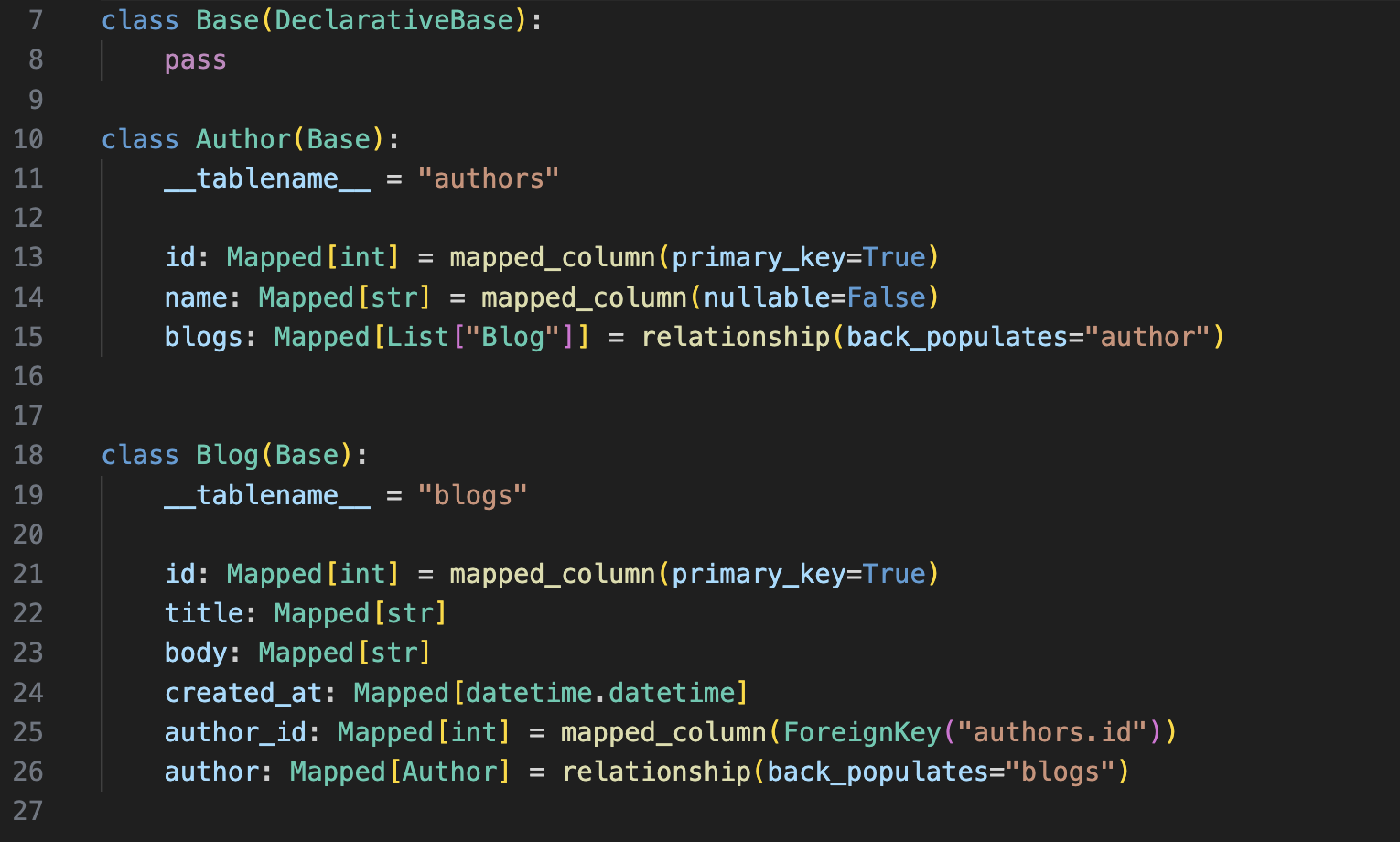
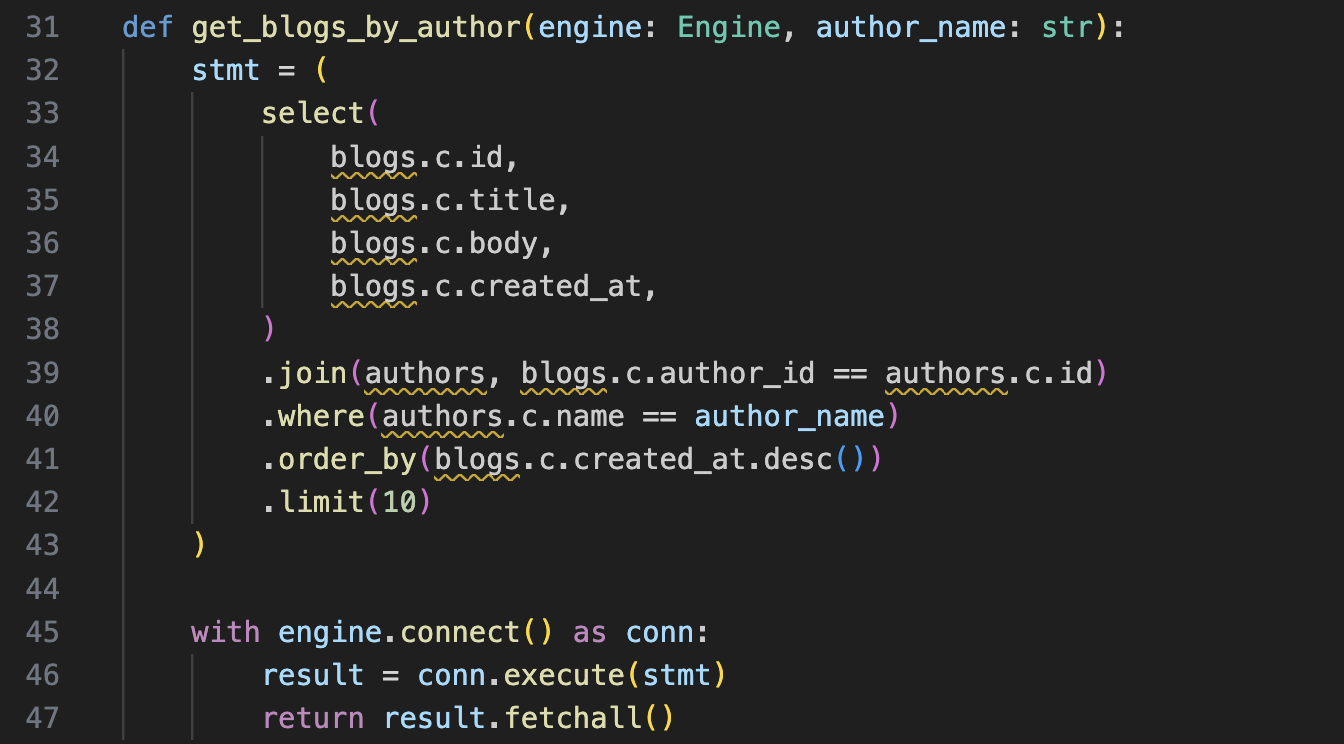
If we wanted to request the first ten blogs attributed to a given author, the request statement between the two will look a little different when using just the Core API vs the ORM API.
Example using Core only:
Example using ORM only:
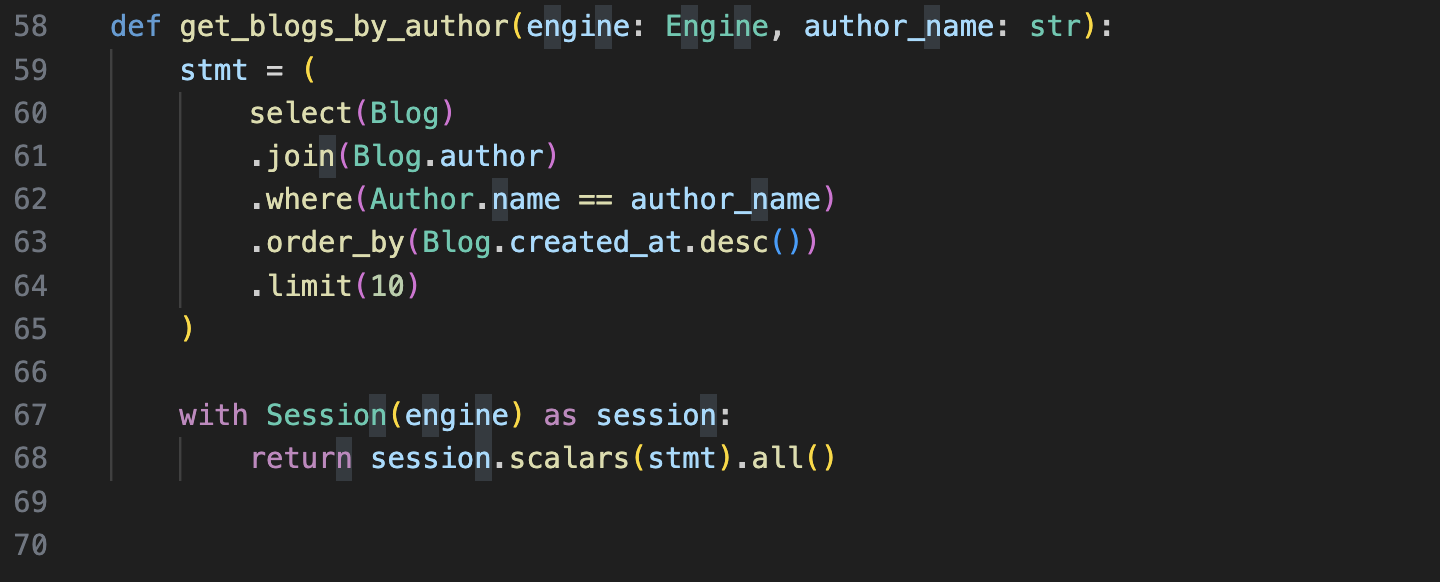
The differences are subtle but make a big impact on readability. It’s also useful to be able to recognize the difference between where the utilities are used for troubleshooting purposes.
For those of you experimenting for the first time, the playground repository linked above includes a baseline Flask app with a default local SQLite database configuration, meaning once you follow the install steps and start the app up, you will be running a local server where you can begin testing out database interactions with SQLAlchemy without having to worry about much dependency configuration yourself.
The repository also contains examples you can follow for the basic CRUD interactions you will likely find yourself needing in the future. In the README for the repo it contains additional instructions, but if you want to perform the exercises without the examples, avoid looking at the additional step by step solution files included. These tasks will require you also configure corresponding REST endpoints so you can do some real DB inserts and modifications.
I set up a Postman collection to test out my API calls. I’ve included an export of this collection in the repo as well if you’d like to use that as a reference, or even emulate the REST endpoints exactly.
Happy coding!